
Applicable to:
- Plesk Obsidian for Windows
Symptoms
-
It is not possible to unpack downloaded Plesk backup as
.ziparchive using Windows zip. (Backup was downloaded via Plesk > Tools & Settings > Backup Manager or Domains > example.com > Backup Manager):CONFIG_TEXT: Cannot complete the compressed (zipped) folders extraction wizard.
The compressed (zipped) folder is empty.
Before you can extract files, you must copy files to this compressed (zipped) folder.
To close this wizard, click Finish.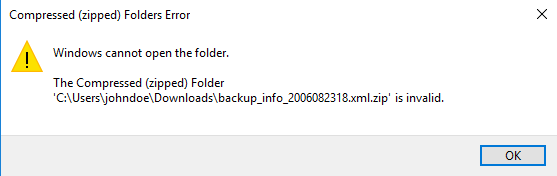
-
It is not possible to unpack archive via WinRAR:
CONFIG_TEXT: Archive is corrupt
Cause
In order to improve backup/restore operations speed and efficiently Plesk Obsidian Backup contains additional headers now. Which makes it impossible to open a backup file with native Windows File Manager.
For more details see "Plesk Backup Optimizations"
Resolution
This does not affect Plesk operations anyhow.
To be able to unzip backup please use 7-Zip software.
Comments
Hi, i am using plesk obsidian, once the backup is completed it creates a .zip file. If i try to extract the file using 7zip getting following issue
Warnings:
There are some data after the end of the payload data
Incorrect reparse stream : Unspecified error : backup_ext_galileo_2304160826.zip
Please sign in to leave a comment.