
Applicable to:
- Plesk for Linux
- Plesk for Windows
Symptoms
-
Unable to access protected web-statistics page of a domain using valid login credentials of a Plesk admin/reseller/customer: The page keeps prompting for credentials or the following error message appears:
PLESK_INFO: Unauthorized
Access is denied due to invalid credentials.
PLESK_INFO: HTTP Error 401.4 - Unauthorized
-
One of the following error messages appears on the Logs page (Domains > example.com > Logs):
CONFIG_TEXT: AH01617: user john_doe: authentication failure for "/plesk-stat/webstat-ssl": Password Mismatch
CONFIG_TEXT: user john_doe not found: /plesk-stat/webstat-ssl/
Cause
Plesk admin/reseller/customer login credentials are used instead of FTP user credentials or protected directory user.
To access protected web-statistics page, FTP login credentials must be used.
Resolution
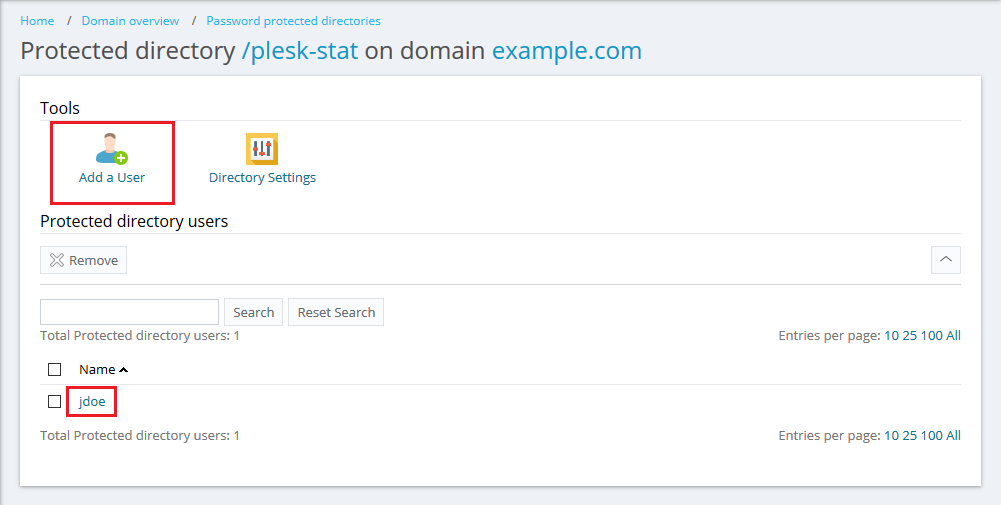
Create a new user or change the password of an existing user at Domains > example.com > Password-Protected Directories > /plesk-stat.
Comments
Please sign in to leave a comment.