
Plesk for Windows
kb: technical
ABT: Group B
Applicable to:
- Plesk for Windows
Symptoms
- WebAdmin license is used;
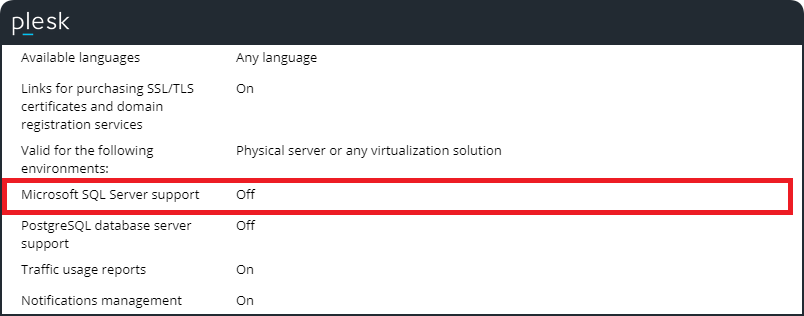
- Microsoft SQL Server support is turn off in Tools & Settings > License Management:
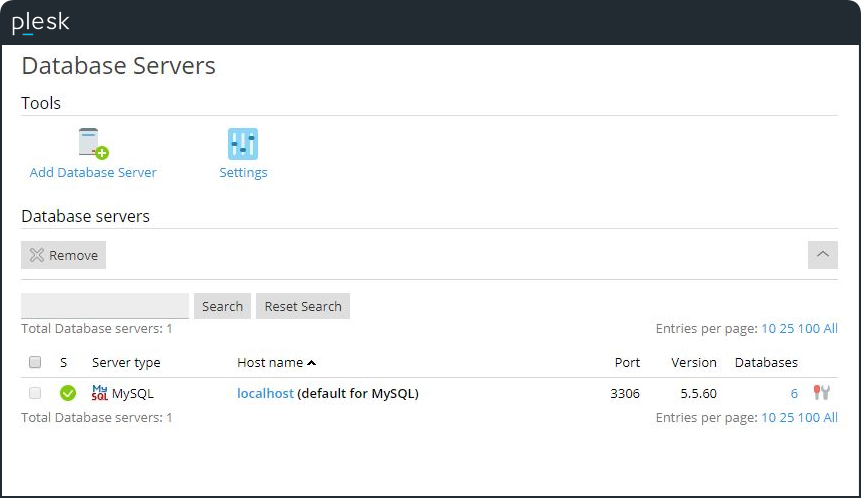
- There are no MSSQL servers are listed in Tools & Settings > Database Servers:
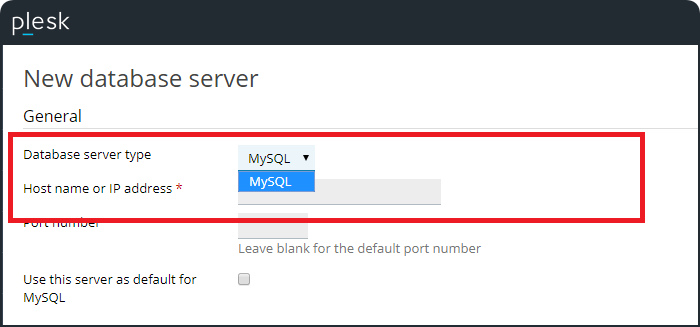
- It is not possible to add MSSQL as database server in Tools & Settings > Database Servers > Add Database Servers:
Cause
License limitations: MSSQL Server management is not included by default into WebAdmin license.
Resolution
It is possible to purchase Power Pack or Developer Pack, which include MS SQL support.
Note: For license questions contact Online Sales team if the license has been purchased directly in Plesk Online store. Plesk partners need to contact their sales representative.
Comments
Please sign in to leave a comment.