
Plesk for Windows
kb: how-to
Plesk for Linux
ABT: Group B
Applicable to:
- Plesk for Linux
- Plesk for Windows
Question
How to set a default database server for customers' databases in Plesk?
Answer
The default database server for new subscriptions is defined in service plan settings at Service Plans > Service Plan Name > Hosting Parameters > Default Database Server. Set default database servers there and click Update & Sync.
Note: If a subscription is locked (marked with a blue lock in the Subscriptions menu), it will not be synced with its service plan. In this case, you may adjust the settings directly in subscription settings (Subscriptions > example.com > Customize).
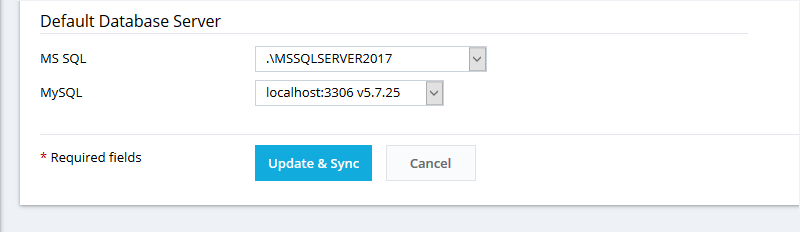
The parameter Default Database Server in Tools & Settings determines default database servers for newly created service plans.
Comments
Is it not possible to do this in the Web Admin Edition?
Please sign in to leave a comment.