
Applicable to:
- Plesk for Windows
Symptoms
-
When opening Plesk in a web-browser, it fails to load with one of the following error messages:
PLESK_INFO: Internal Server error 500
PLESK_INFO: Lock Manager error: '[LockManagerException] Can't open or create shared memory by shm.name: "Global\SharedLockManagerStorage_v2"; shm.start_size: "4194304"; error "The paging file is too small for this operation to complete."'.
PLESK_INFO: ERROR: Out of memory (allocated 2097152) (tried to allocate 655360 bytes) (common_messages_en-US.php:7)
-
Application pools may be stopped in IIS.
-
The following error message appears in
%plesk_dir%admin\logs\php_error.log:CONFIG_TEXT: PHP Warning: PHP Startup: Unable to load dynamic library 'C:\Program Files (x86)\Plesk\admin\engine\php_plesk_util.dll' - The paging file is too small for this operation to complete in Unknown on line 0
Cause
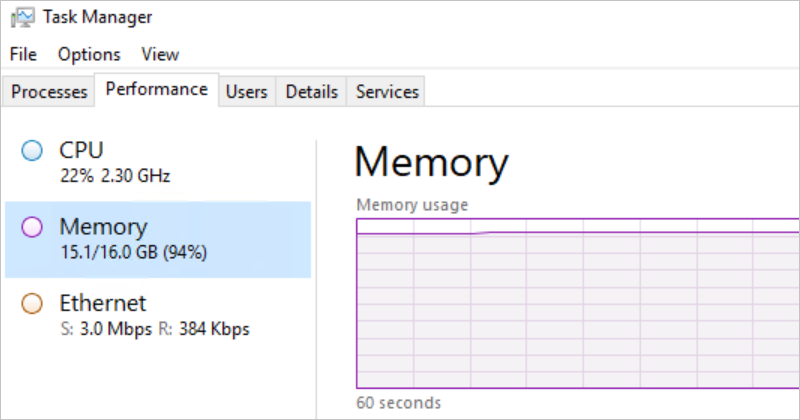
RAM limit has been reached:
Resolution
Adjust the server configuration in one of the following ways:
- Allocate more RAM to the server
- Increase Virtual Memory size
- Kill some non-critical processes to free memory
- If this is a temporary RAM increase, wait for a while for the high RAM load to reduce
Warning: This is an administrative task and has to be performed by a server administrator.
Comments
Please sign in to leave a comment.